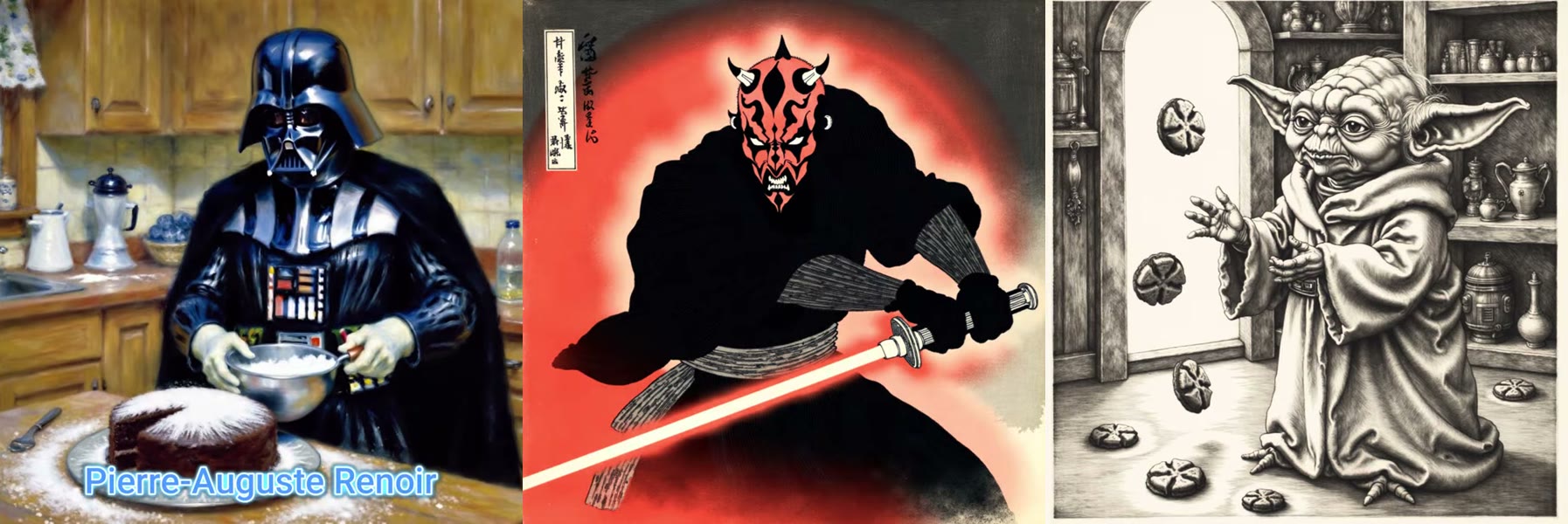
Flux knows a little about everything. It was trained on billions of images, so ask it for “an engraving” and you’ll get something engraving-ish. Ask for Albrecht Dürer’s specific cross-hatching and it guesses.
A LoRA fixes that. It’s a small add-on model, trained on a handful of images, that pushes Flux toward one specific style, character or look. Training one takes a handful of images, a few minutes and a couple of dollars.
In part 1 I train three artist-style LoRAs: Renoir’s impressionism, Hokusai’s woodblock prints and Dürer’s engravings. In part 2 I build a ComfyUI workflow that cycles through hundreds of prompts on its own.
In short
- A style LoRA needs only 6–15 images in one consistent style.
- Training on fal costs about $2 and takes 5–10 minutes.
- Use a made-up trigger word like
renoir123, never a real word. - Generate at about 1 megapixel, Flux guidance 3, 20–25 steps.
- A prompt list and a loop counter let ComfyUI run 50+ prompts unattended.
What is a LoRA?
LoRA stands for low-rank adaptation, a technique introduced in a 2021 paper by Hu et al.. Instead of retraining a whole model, you train a small set of extra weights that sit on top of it and steer what it produces. If you want the idea without the maths, this Medium explainer is a good read.
In practice that means:
- The file is small. My Flux style LoRAs are about 85 MB. Flux dev itself is around 12 GB.
- Training is cheap and fast: a couple of dollars and a few minutes.
- You can swap them. One base model, as many LoRAs as you like.
There are two common kinds. A character LoRA learns a person or a face, often your own. A style LoRA learns a look: brushwork, line, palette. Style can be anything from painterly realism to something as flat and clean as South Park, though I’d avoid copyrighted styles for anything you publish. This guide covers style LoRAs, which are more forgiving: no face masks, no careful captions.
What you need
- 6–15 images in a single, consistent style.
- A fal.ai account with a few dollars of credit. I topped up $10 and trained several LoRAs with it.
- ComfyUI with Flux dev for part 2.
- About 12 GB of VRAM to run Flux well, locally or on a cloud GPU.
I don’t train LoRAs locally. It takes much longer, and a run can fail halfway through. On fal, a LoRA costs about $2 and is done in minutes.
Step 1: Collect your training images
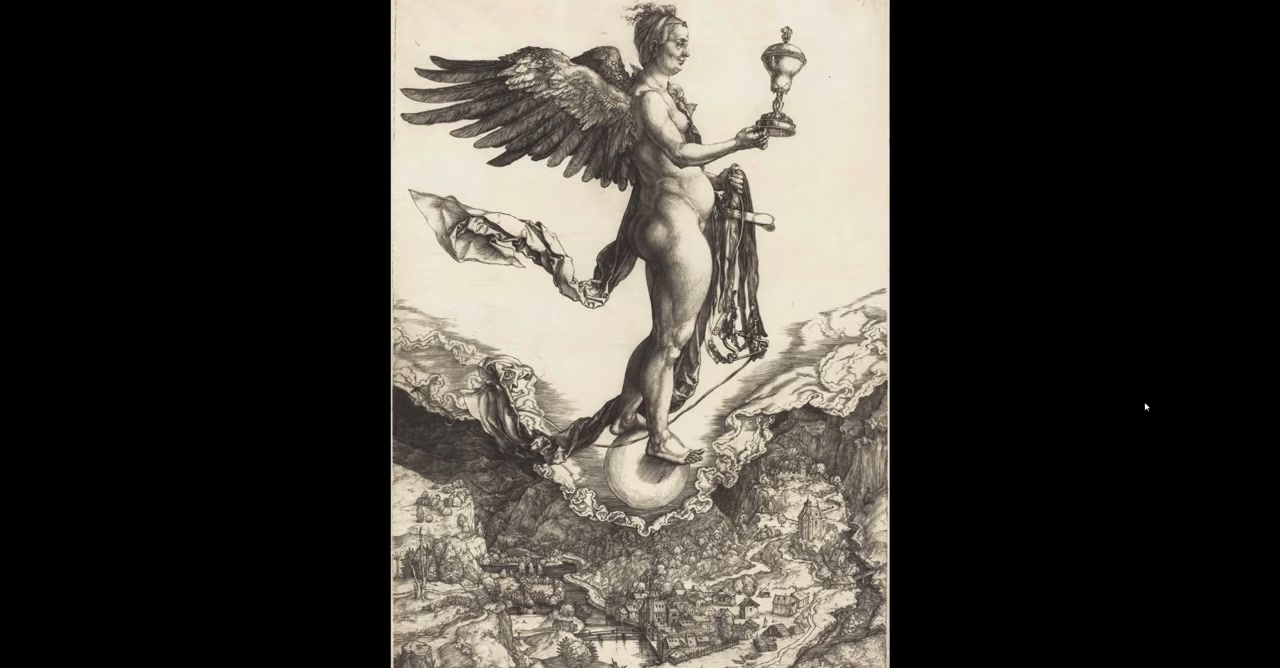
For old masters, Wikipedia and Wikimedia Commons are the best sources: high-resolution scans, mostly in the public domain.
Consistency matters more than quantity. For Dürer I only picked engravings with his dense hatching. I skipped his watercolours, like the famous Young Hare, because they’d pull the LoRA in a different direction.
| LoRA | Images | What I picked |
|---|---|---|
| Albrecht Dürer | 10 | Engravings with heavy cross-hatching |
| Hokusai | about 15 | Woodblock prints |
| Renoir | 11 | Impressionist paintings |
For a strong, distinctive style you can go as low as five images.
Step 2: Train the LoRA on fal
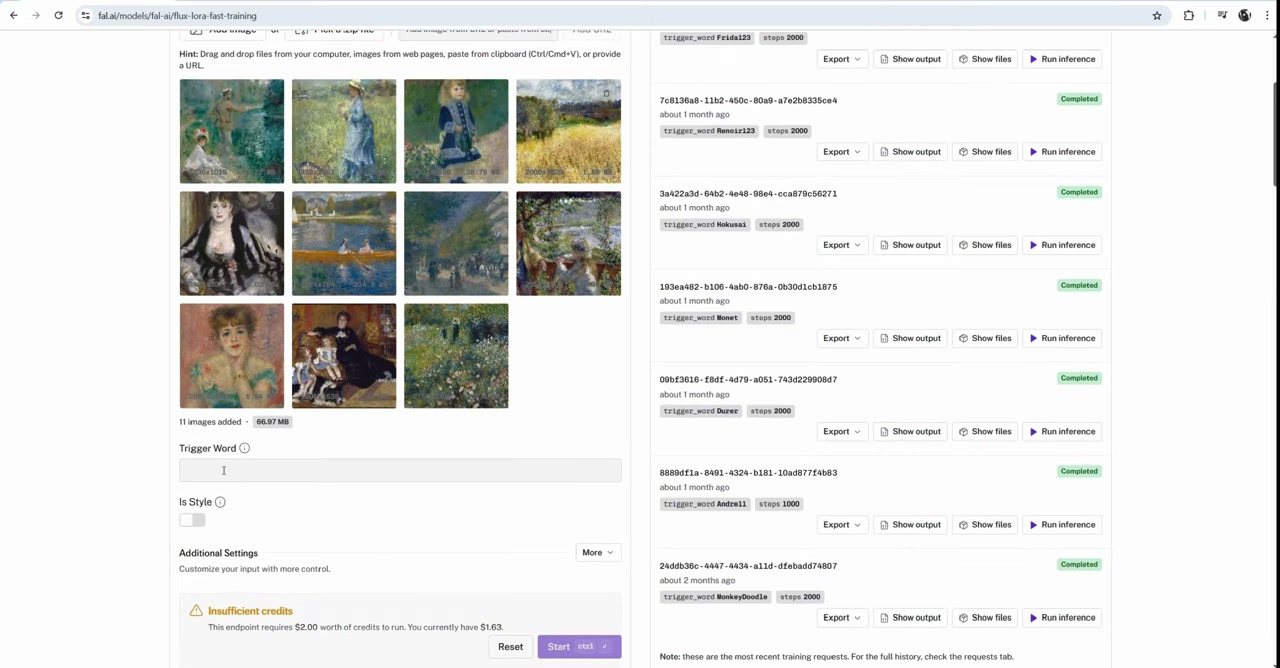
On fal, open the Flux LoRA Fast Training model. There are several Flux models on fal; skip the newer variants like Kontext and Krea for this. When I recorded this, they didn’t support ControlNet, so you’d lose pose control later. Train for Flux dev.
Drag your images in and set these options:
| Setting | What I use | Why |
|---|---|---|
| Trigger word | renoir123 |
Unique, so Flux can’t confuse it with anything it already knows |
| Is style | On | It’s a style, not a person |
| Masks | Off | Masks are for faces |
| Steps | Default, or 2,000 | 2,000 steps is better quality but doubles the cost to about $4 |
Click Start. Training takes 5–10 minutes.
The trigger word mistake I made: my first try was a Claude Monet LoRA with the trigger word monet. It didn’t work. “Monet” is a word Flux already has strong ideas about, so the LoRA couldn’t take over. monet123 would have worked. Always add numbers or nonsense to make the trigger word unique.
Step 3: Download, rename and install
When training finishes, open Show files and download the .safetensors file, about 85 MB. Safetensors is the standard format for sharing model weights because, unlike older formats, it can’t carry executable code.
fal names the file pytorch_lora_weights.safetensors. Rename it straight away. I put the trigger word in the file name, so I never have to look up which word goes with which LoRA:
ComfyUI/models/loras/lora_renoir123.safetensorsIt has to go in the loras folder, or the LoRA loader won’t see it. On a RunPod pod, upload it through JupyterLab into the same folder on your network volume.
Step 4: Test it
fal has a Run inference button next to your trained LoRA, so you can test before touching ComfyUI. My first prompt, renoir123, Darth Maul standing on a turtle, got the style but not much else. Switching to Yoda worked much better, at about 4 cents an image.
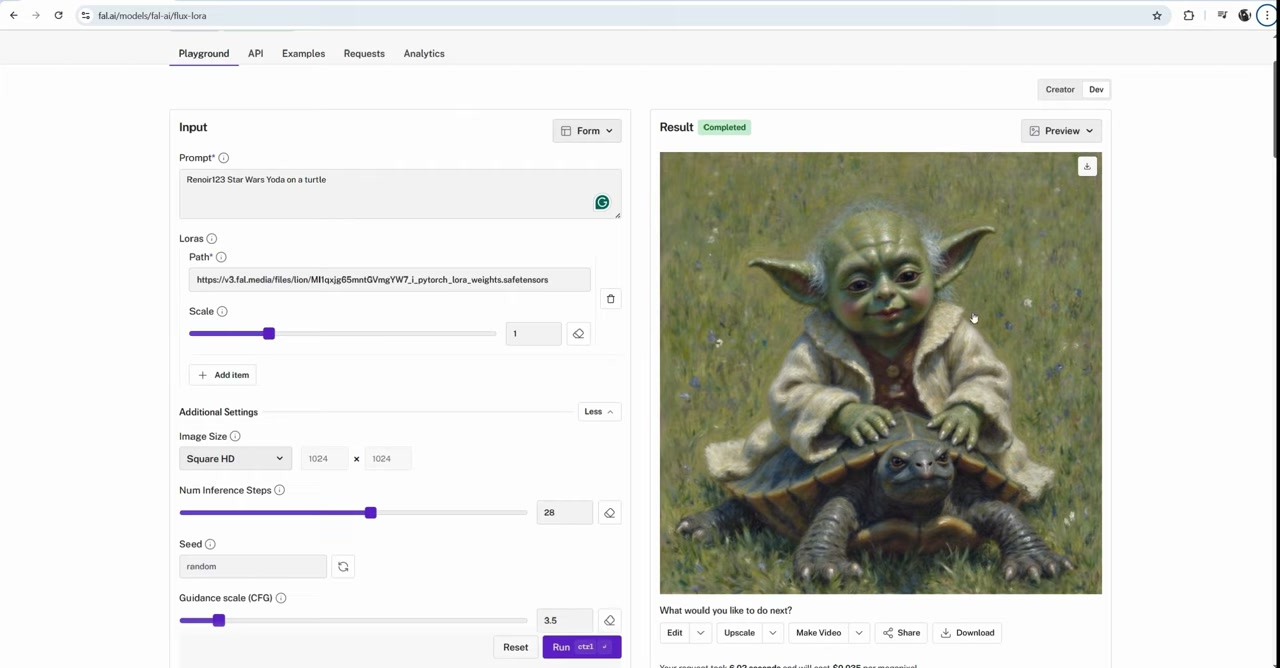
Resolution matters. Flux works best at about 1 megapixel: 1024 × 1024, or “square HD” on fal. 512 × 512 is too small for good detail, and going up to 2K or 4K squares gives worse images than 1K. That’s just how these models behave.
For fun, I fed the result into an image-to-video model, Seedance Lite, also on fal. For 18 cents and default settings, I got a few seconds of Yoda swaying on his turtle.
Step 5: Build the Flux + LoRA workflow in ComfyUI
That’s training done. The basic ComfyUI graph is nine nodes. Here’s each one and how I set it:
| Node | Setting | Notes |
|---|---|---|
| Load Diffusion Model | flux1-dev |
About 12 GB; install it from the Model Manager |
| Load LoRA | lora_renoir123 |
Reads models/loras |
| DualCLIPLoader | CLIP-L + T5 | The two text encoders Flux needs |
| Empty Latent Image | 1024 × 1024 | Your output resolution |
| Flux Guidance | 3 | How hard the prompt pushes. Too high burns the image |
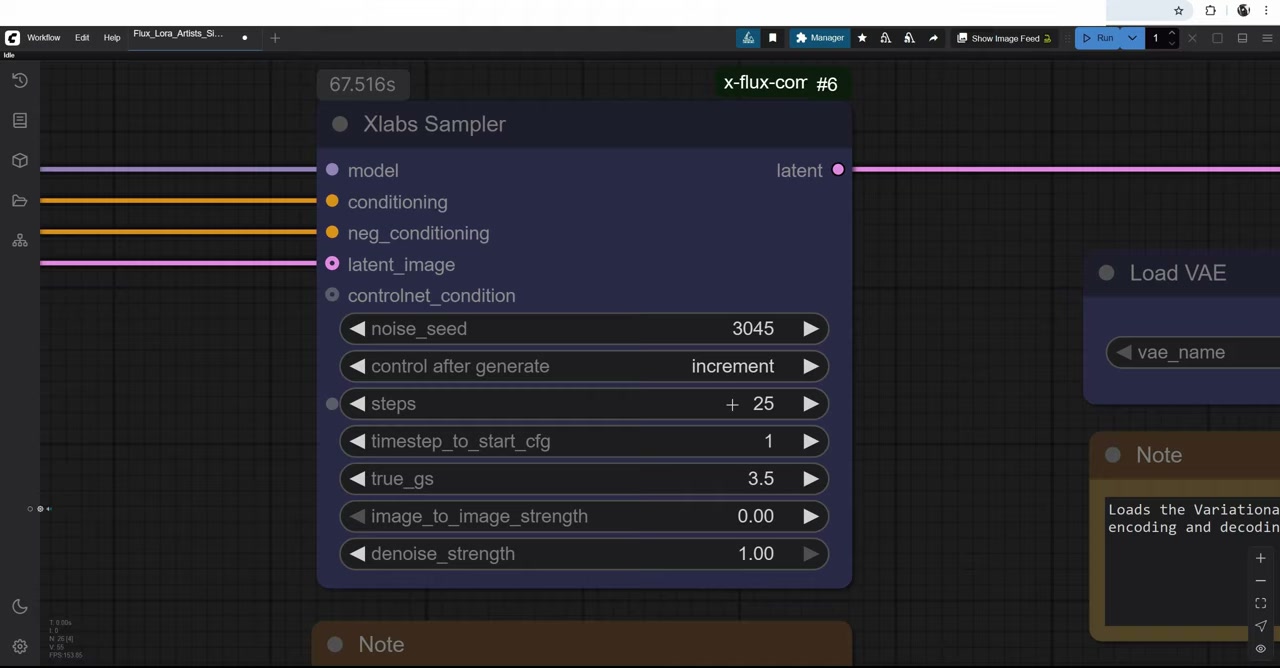
| XLabs Sampler | 25 steps, seed on increment | 20 is fine too. Past 50 is wasted time |
| Negative prompt | Empty | Flux mostly ignores it, but it must be connected |
| VAE Decode | Flux VAE | About 300 MB; turns the latent into pixels |
| Image Save (WAS) | PNG, custom prefix | Easier file naming than the default Save node |
Put the trigger word at the start of your positive prompt: renoir123, Star Wars, cooking cakes. Setting the seed to increment also gives you a running count of how many images you’ve made.
Step 6: Run hundreds of prompts automatically
Making one image at a time is what you’d do on a website. ComfyUI earns its place when you queue 50 prompts and go to bed. You’ll need three custom node packs, all installable from the ComfyUI Manager: ComfyUI Inspire Pack, WAS Node Suite and x-flux-comfyui.
1. Write the prompt file
I asked ChatGPT for 50 Star Wars prompts in this exact format. Gemini works just as well:
positive: Star Wars art, Princess Leia, leading Rebel Alliance troops, holographic maps, determined faces
negative: blurry, cartoonish, scared, disheveled, empty room
---
positive: Star Wars art, Yoda, teaching young Jedi in a serene temple, ancient architecture
negative: blurry, cartoonish, chaotic, angry, noisy environment
The format is strict:
positive:andnegative:must be lowercase.- Prompts are separated by
---. - The negative line can’t be empty, even though Flux ignores it. An empty one breaks the whole graph.
- Delete any intro line the chatbot adds at the top.
2. Put it in the one folder that works
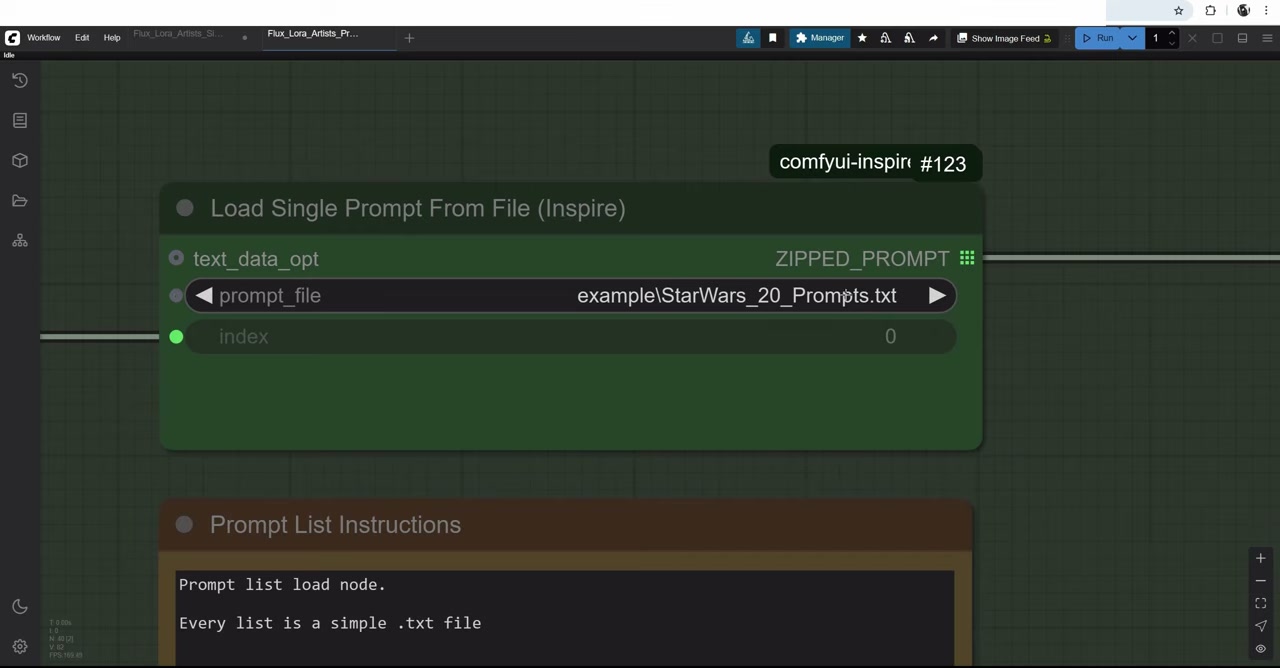
Save the file to ComfyUI/custom_nodes/comfyui-inspire-pack/prompts/. The Load Prompts From File node only looks there.
3. Add the trigger word
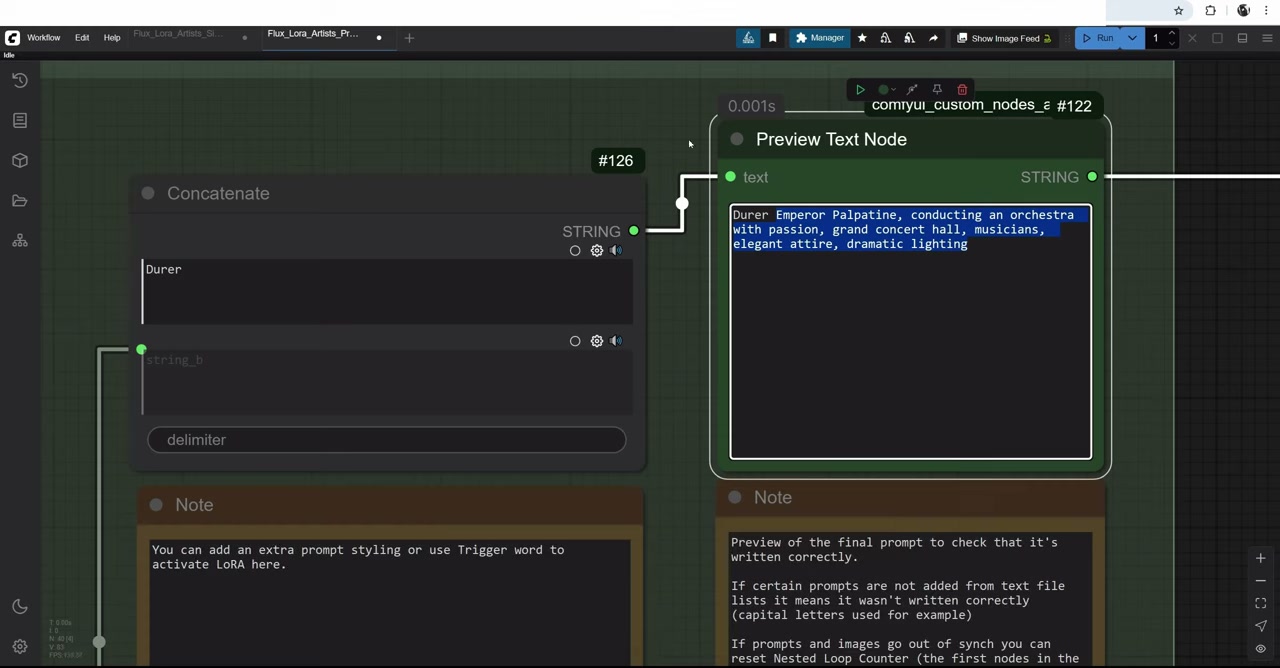
A Concatenate node puts the trigger word in front of every prompt, so switching styles means changing one field. Leave a space after the trigger word, or it gets glued to the first word of the prompt.
4. Make it cycle
Here’s the part most tutorials miss: on its own, the prompt list only ever runs the first prompt. To step through the list, feed it the index from a WAS Nested Loop Counter:
- Set the max to the number of prompts in your file, with an increment of 1.
- Count your prompts. Ask a chatbot for 50 and you’ll often get 48 or 49. I search the file for
positive:and use the match count. - To start over, set reset to true for one run, then back to false. The counter starts at 0, so 50 prompts run from 0 to 49.
I go deeper into prompt lists in a separate video.
5. Run it and walk away
Set the queue to Run (Instant) and leave it. Some of my overnight images were awful and some were great. Everyone cherry-picks AI output; the trick is making cherry-picking cheap.
What came out
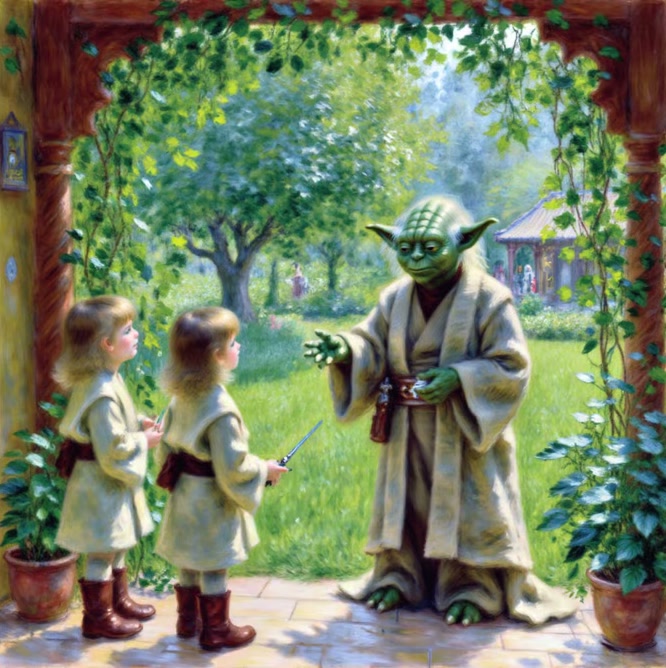
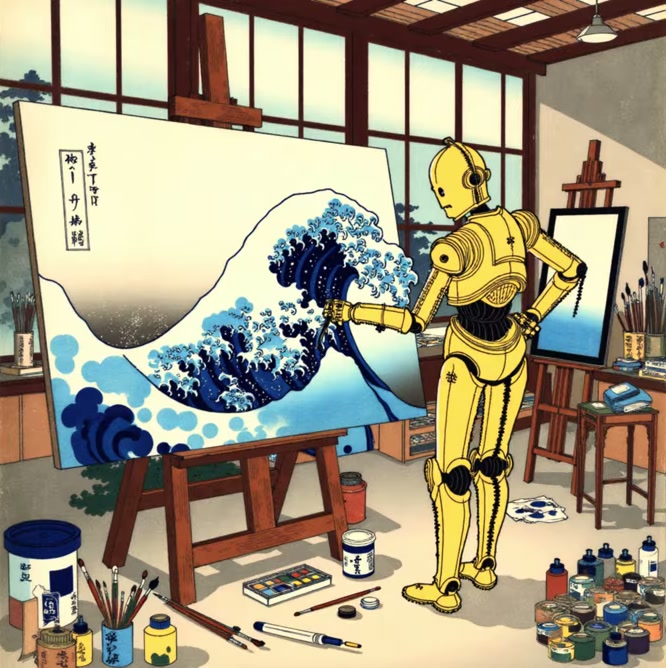
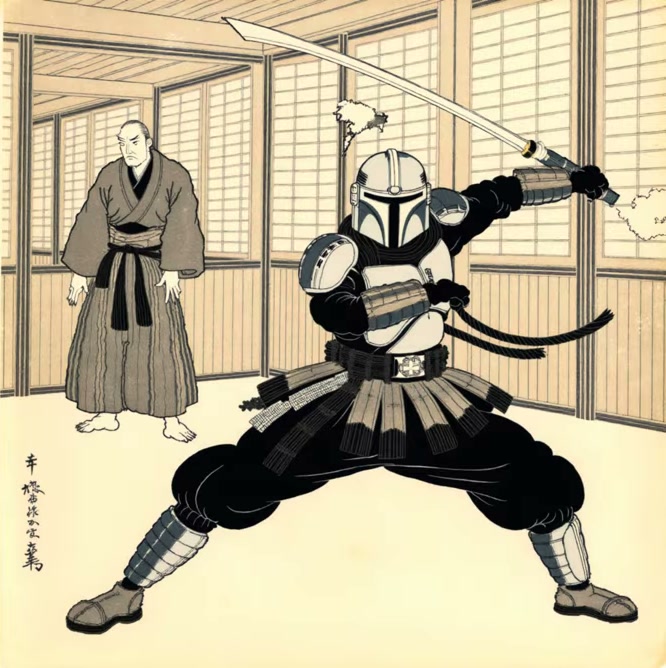
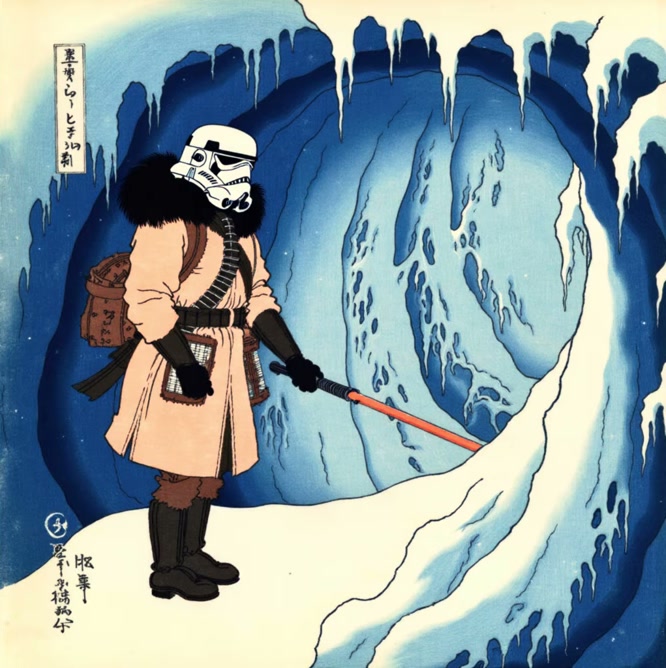
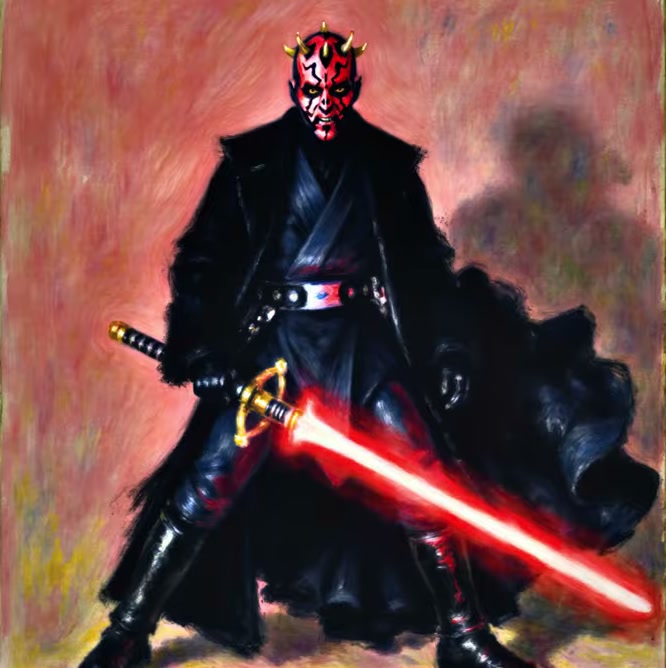
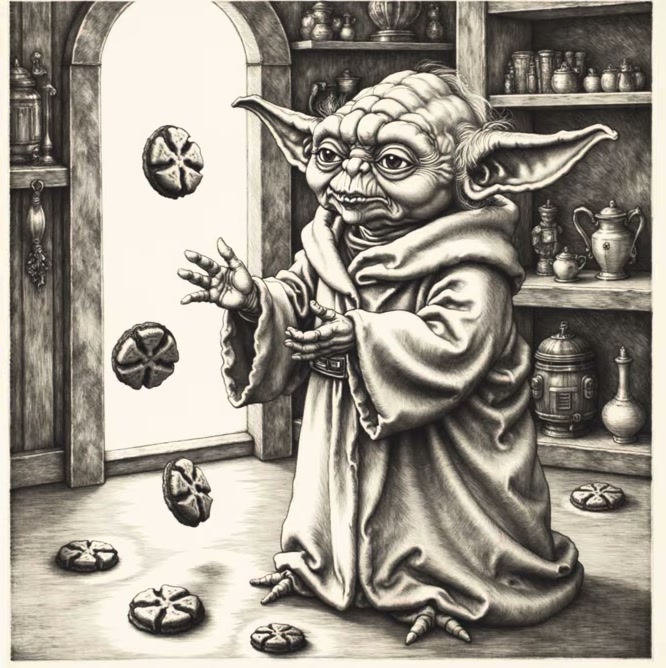
Renoir, Hokusai and Dürer LoRAs, from the same overnight prompt list.
Where to run it
Training and running are two different jobs, and I use a different place for each:
| Job | Where I do it | Cost |
|---|---|---|
| Training the LoRA | fal | About $2 per LoRA |
| Quick tests | fal | About 4¢ per image |
| Overnight batches in ComfyUI | Your own 12 GB+ GPU, or a cloud GPU | Electricity, or from $0.27/hr for an RTX A5000 on RunPod |
When I recorded this video, ComfyUI ran on my own RTX A5000. I’ve since moved it to RunPod: the models live on a network volume, and I rent a GPU only while a batch runs. If you already have a 12 GB+ card, run it locally. It’s free apart from electricity. If you don’t, renting is far cheaper than buying one. My introduction to RunPod covers the setup, costs and which GPU to pick.
If you want to try it, this is my RunPod referral link: you get $5–$500 in credit after your first $10 (sign up with Google), and I get a small commission.
Mistakes to avoid
- A common trigger word.
monetfails;monet123works. - Mixed styles in the training set. Ten consistent images beat thirty mixed ones.
- The wrong resolution. Stay around 1 megapixel.
- Guidance too high. Above about 3 the image starts to burn.
- The LoRA in the wrong folder. It must be
models/loras. - A broken prompt file. Capital letters, an empty negative line or the wrong folder will stop the graph.
- A loop count that doesn’t match. Count the prompts yourself.
A note on copyright
Dürer, Hokusai and Renoir are long out of copyright. Living artists are different. I’ve trained LoRAs on friends’ styles with their permission, showed them the results and kept them private. Ask first. And I used Star Wars characters here for fun, not for anything I’d sell.
The LoRA and prompt-list workflows, plus my three artist LoRAs, are on Patreon.
Watch the video version (19:53)
Everything above is in the video too, if you'd rather follow along on screen.
FAQ
How many images do I need to train a LoRA?
For a style LoRA, 6 to 15 images in one consistent style. A very distinctive style can work with as few as five.
How much does it cost to train a LoRA?
About $2 on fal at the default steps, or about $4 at 2,000 steps. Testing costs around 4 cents per image.
How long does LoRA training take?
Five to ten minutes on fal for a style LoRA.
What GPU do I need to use a Flux LoRA?
About 12 GB of VRAM to run Flux dev well. If your card is smaller, a cloud GPU such as an RTX A5000 works.
What is a trigger word?
A unique word you add to your prompt to switch the LoRA on. Make it something Flux has never seen, like renoir123, not a real name.
Anton Tenitsky is a 3D artist with 15+ years in computer graphics, working with Nickelodeon, Gameloft, Marvel Rivals and many other clients. More about me