Ask Stable Diffusion for “a white vase with red flowers” and you’ll often get something else: white flowers, a pink background, a red table. The colours bleed into each other, because every word in the prompt shares the same conditioning. ComfyUI has a few ways to keep them apart. Here I go from simple prompt weights to two conditioning nodes that give much more predictable results.
In short
- Weights:
(red:1.5)makes a word stronger. Stay between about 0.5 and 1.5. - Random choice:
{red|blue|yellow|pink}picks one option per image, but the colours still bleed. - Conditioning (Concat): one prompt per object, joined end to end. The colours stay where they belong.
- ConditioningAverage: blends two prompts; the strength slider sets the balance.
If you’re new to ComfyUI, start with ComfyUI node basics and text-to-image.
Setup
Start from Workflow → Browse Templates → Image generation. For the checkpoint I use epiCPhotoGasm, an SD 1.5 model with more realistic images. My test prompt is “white vase with red flowers”. Press Ctrl+Enter to run, and Q to show earlier results in the queue panel. The batch count next to the Queue button sets how many images each run makes.
Weighting a word
Put the word in brackets with a colon and a value: white vase with (red:1.5) flowers. That makes the red more red. You can also select the word and press Ctrl+Up or Ctrl+Down to change the value in small steps. The community ComfyUI docs explain the full syntax, including nesting and the {a|b} choices below. Keep values between about 0.5 and 1.5.
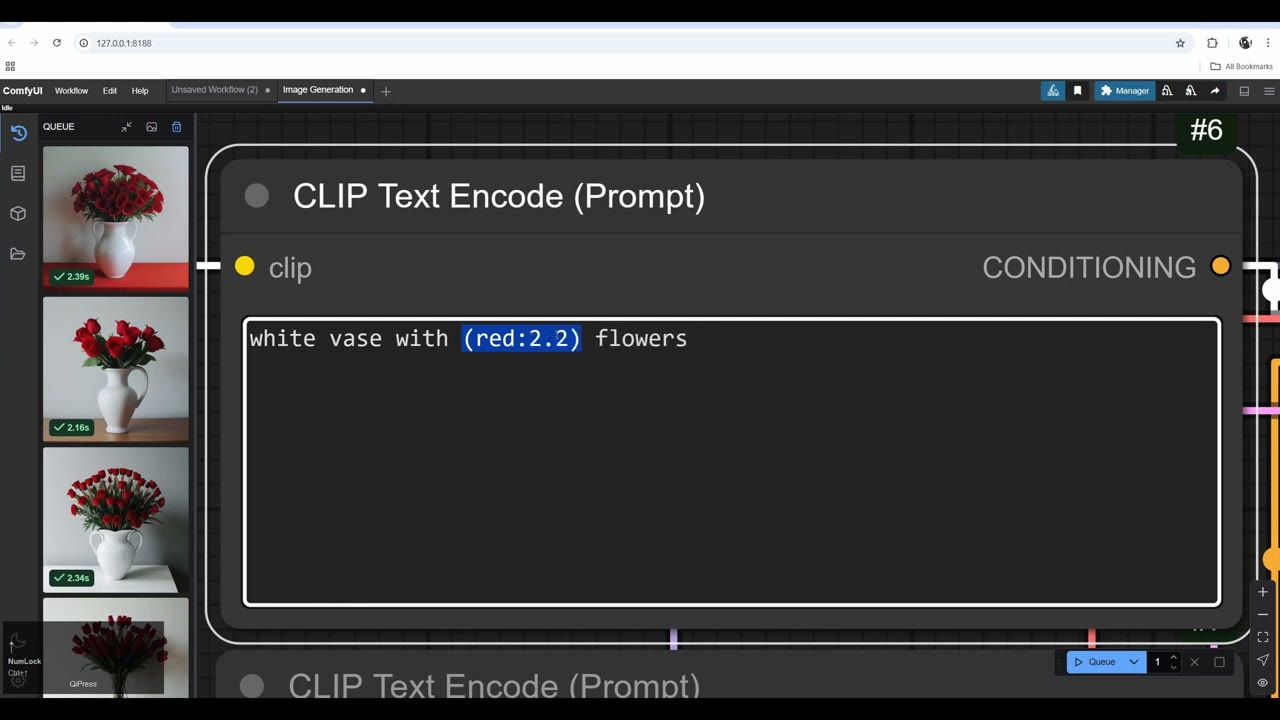
I tried higher values. At 2.2 it went way too red and introduced artifacts.
Random options, and where bleeding shows up
Curly brackets with options separated by | pick one at random for each image: white vase with {red|blue|yellow|pink} flowers. Run a batch of four and you get different colours. There’s no actual loop through the list; it’s random. (For cycling through prompts in order, see my Prompt Cycler node.)
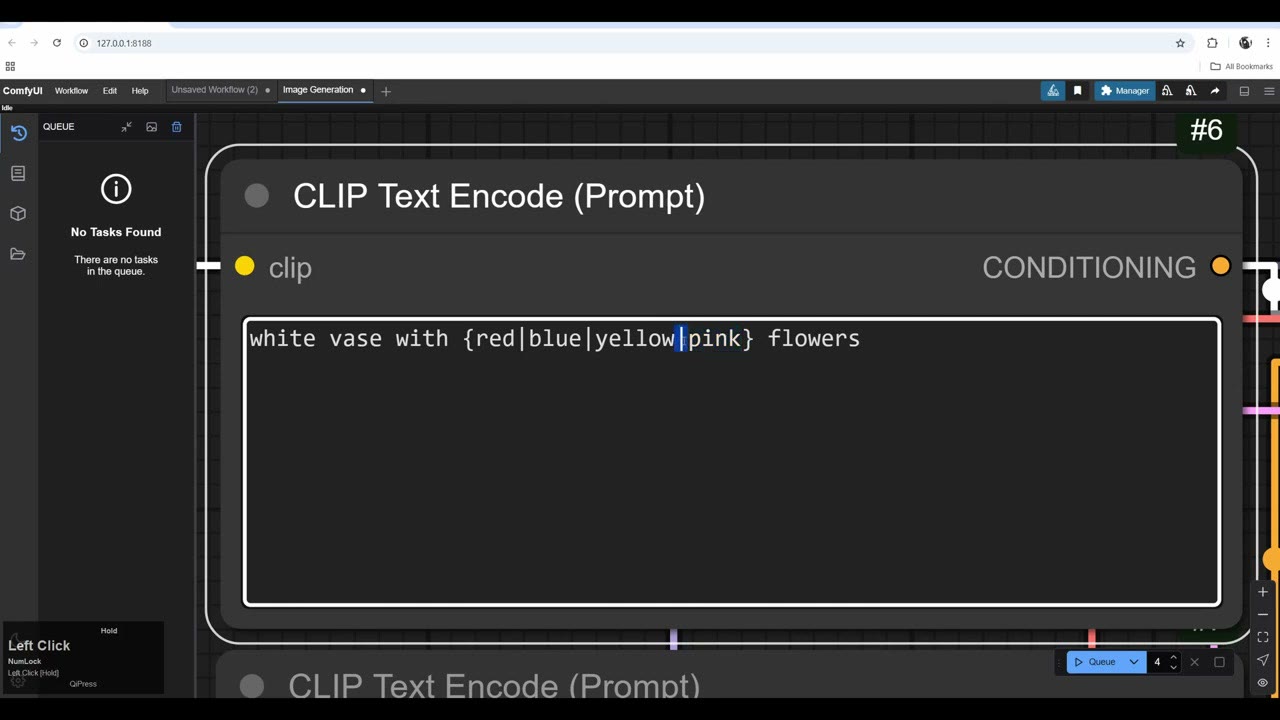
This is where the problem becomes obvious. The model computes the colours together and mixes them across the image: blue and white flowers, a background that turns blue or pink. There’s no control over where each colour goes.
Conditioning (Concat): one prompt per object
To enforce that control, split the prompt:
- Add a second CLIP Text Encode and connect the clip from the checkpoint.
- Add Conditioning (Concat). Connect the two prompts to its conditioning_to and conditioning_from inputs, and its output to the KSampler’s positive input.
- Put white vase in one prompt and red flowers in the other.
Concat is short for concatenation: putting pieces next to each other without merging them. “Snow” and “ball” become “snowball”; the numbers 3, 5, 7, 8 become the string “3,5,7,8”, not their sum. The prompts stay separate, so the red doesn’t spill into a pink background or a red table.
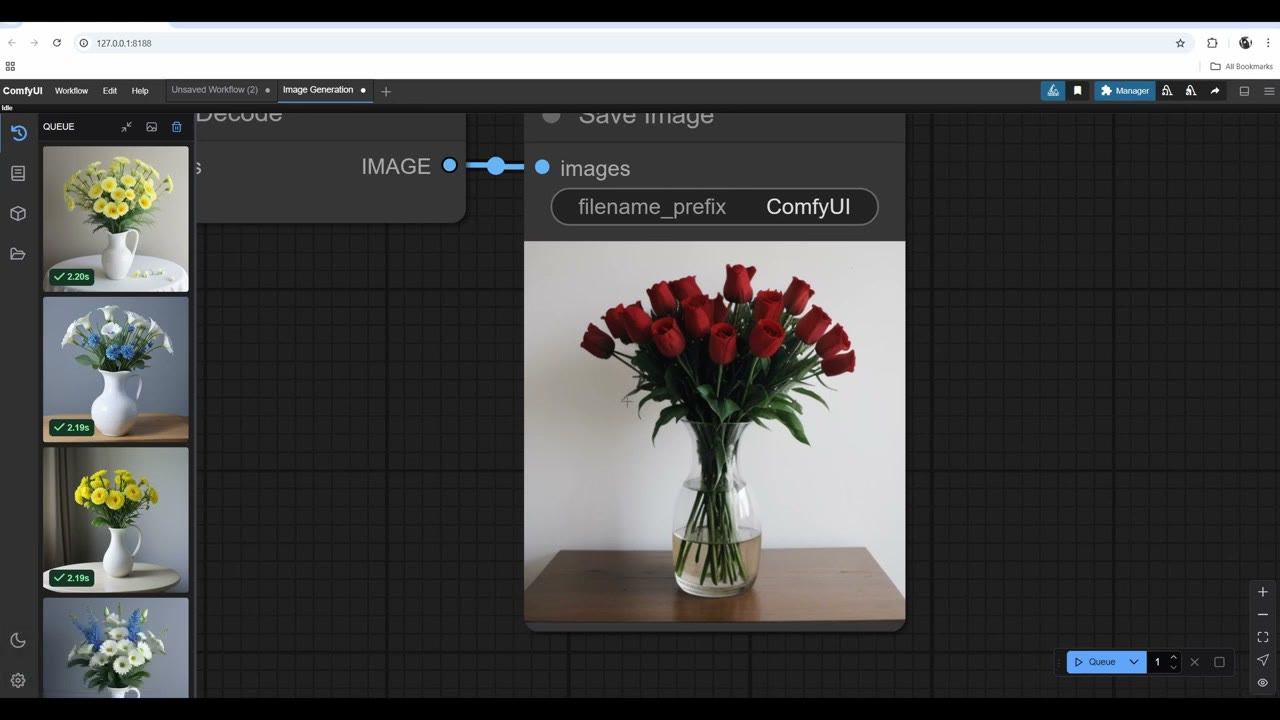
In a batch of four I mostly got red flowers in a vase on a clean background. Sometimes it glitched into a flower field or made the vase transparent. Adding transparency to the negative prompt stopped most of the transparent vases, though not every time.
With everything in one prompt, the weight is distributed across all the tokens, so you get red and white flowers mixed together. Sometimes that works, but it’s unpredictable.
Adding a third prompt
Copy a prompt node with Ctrl+C, Ctrl+Shift+V (pasting with its connections) and chain a second Concat node: the first Concat’s output plus a third prompt, black background, into the KSampler’s positive input.
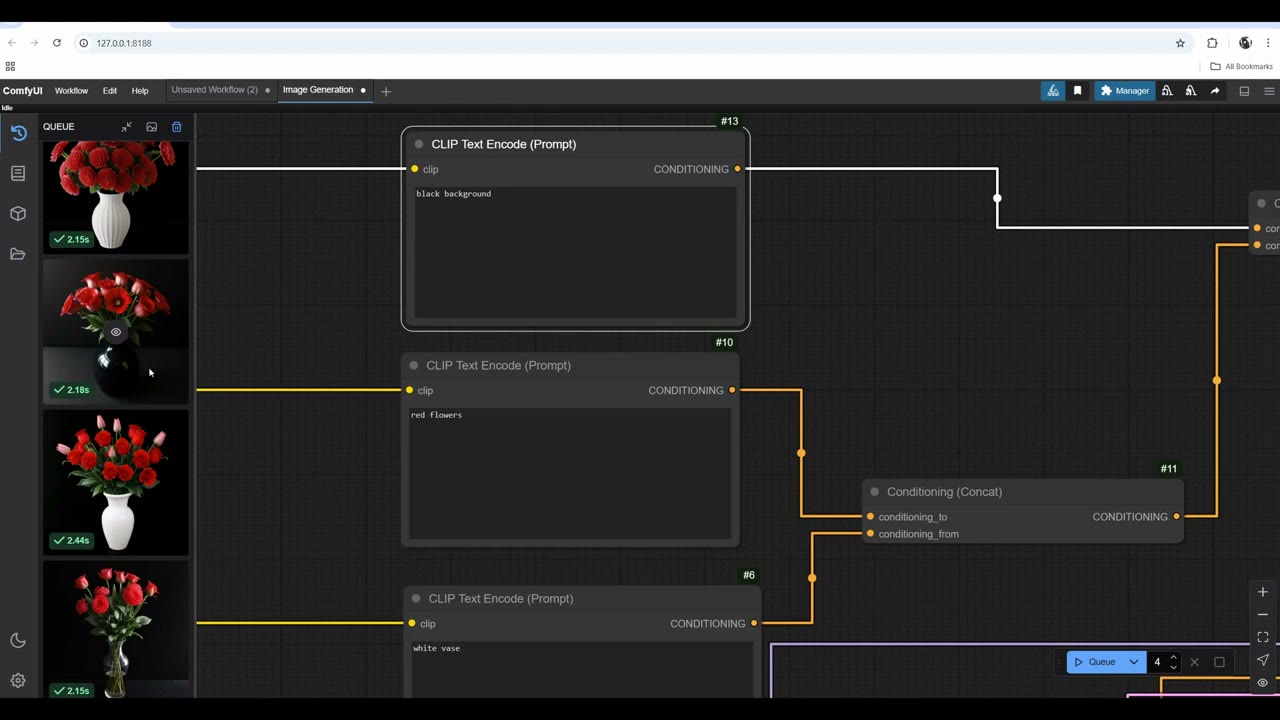
After fixing a typo, I got white vases with red flowers on a black background. It still glitches now and then (one vase came out black), but overall the prompts become far more predictable, and you cherry-pick what fits. Without this, the colours get mixed all over the place.
ConditioningAverage: a slider between two prompts
ConditioningAverage takes the same two inputs and blends them. Its conditioning_to_strength sets the balance:
- At 1.0: mostly red flowers, the strongest side.
- At 0.5: a balanced image of a white vase with red flowers.
- At about 0.21: white flowers in a white vase.
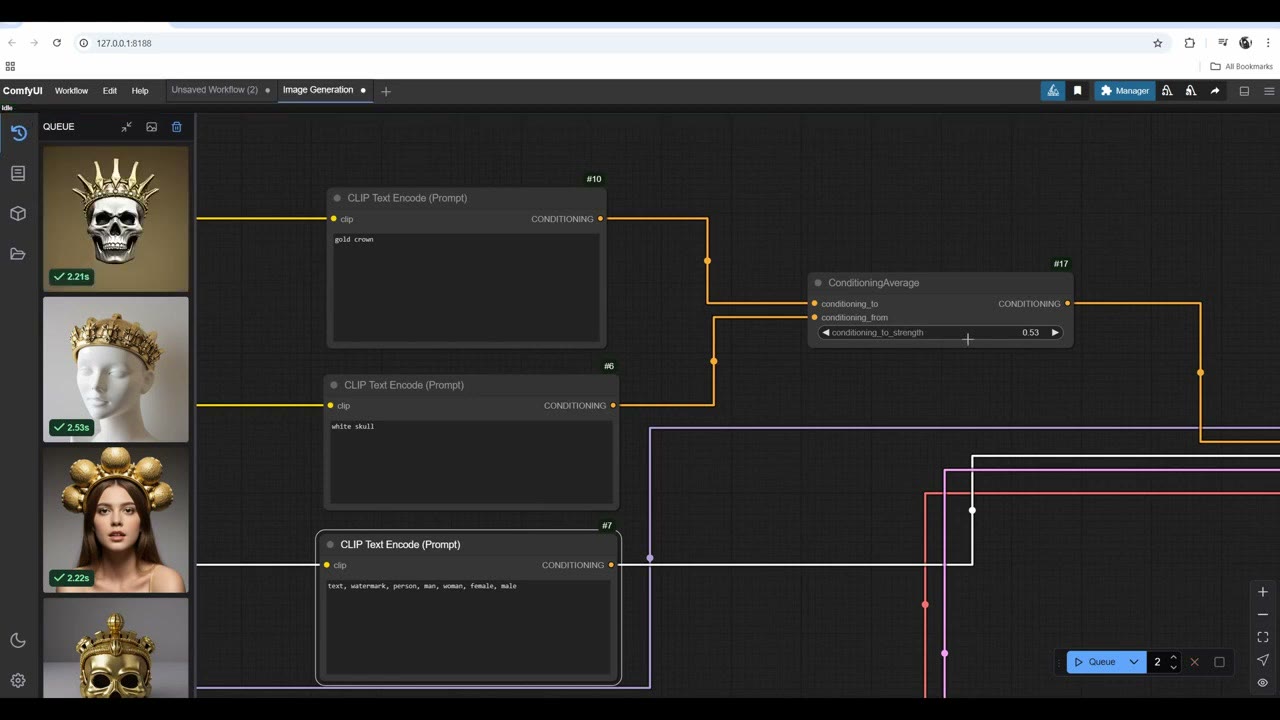
With “white skull” and “gold crown”, and man, woman, female, male in the negative prompt, it still gave me some people. At a low value it picked up mostly the white skull and nothing from the crown. Higher, everything turned gold, skull included, or it showed just the crown. Somewhere in between I got a golden skull with a golden crown, and a glitch: a woman with something like a skull on top. I really like changing these values; the random results can be fascinating. Some more prompt work (“white skull isolated”, plus face in the negative) showed fewer faces.
For clean results, use Concat
For this kind of prompt, Concat works much better. With gold crown and white skull isolated joined by Conditioning (Concat), the gold stopped merging into the skull.
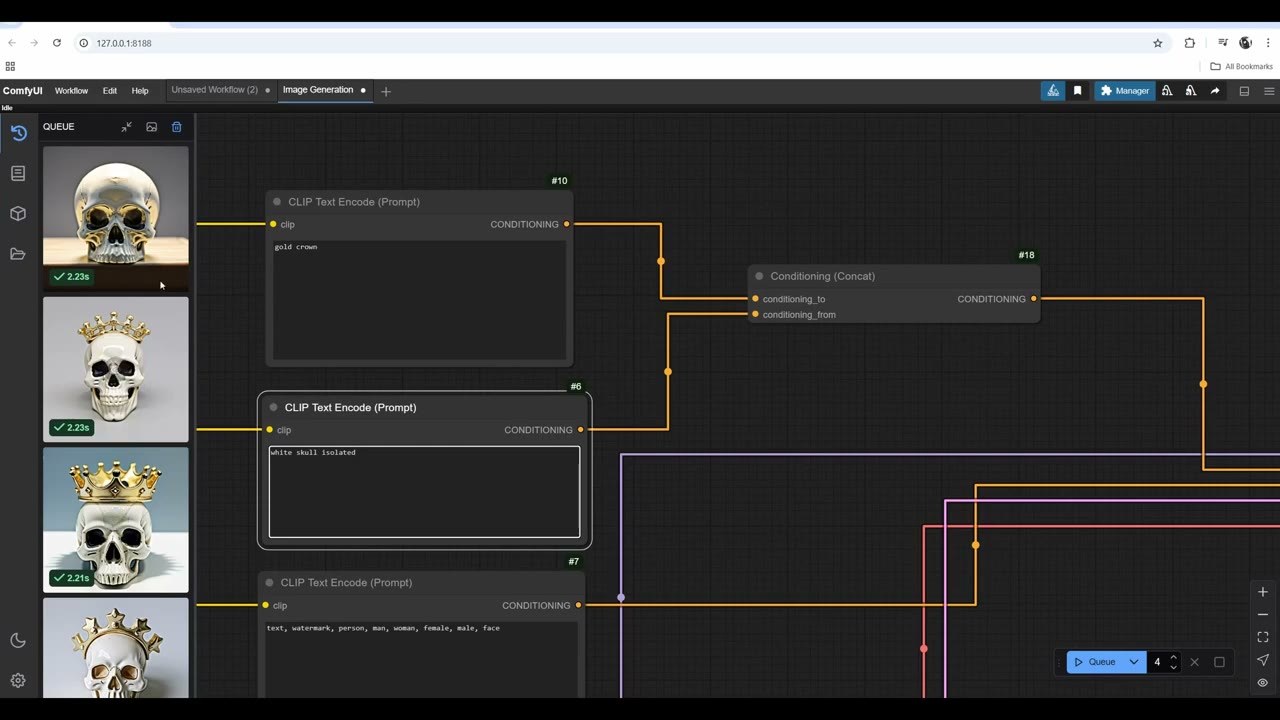
I picked the image I liked and upscaled it four times with the workflow from free AI upscaling with SD 1.5.
Watch the video version (7:46)
Everything above is in the video too, if you'd rather follow along on screen.
FAQ
What is colour bleeding in Stable Diffusion?
When one prompt mentions several colours or materials, the model mixes them: a “white vase with red flowers” can come out with white flowers, a pink background or a red table. The words share one conditioning, so their influence spreads across the image.
How do I change the weight of a word in a ComfyUI prompt?
Wrap it in brackets with a value, like (red:1.5), or select the word and press Ctrl+Up / Ctrl+Down. Values between about 0.5 and 1.5 are safe; at 2.2 the image went far too red with artifacts.
What is the difference between Conditioning Concat and Conditioning Average?
Concat keeps the prompts as separate pieces next to each other, so they don’t mix. Average blends them, and its strength slider decides which prompt dominates.

Anton Tenitsky is a 3D artist with 15+ years in computer graphics, working with Nickelodeon, Gameloft, Marvel Rivals and many other clients. More about me