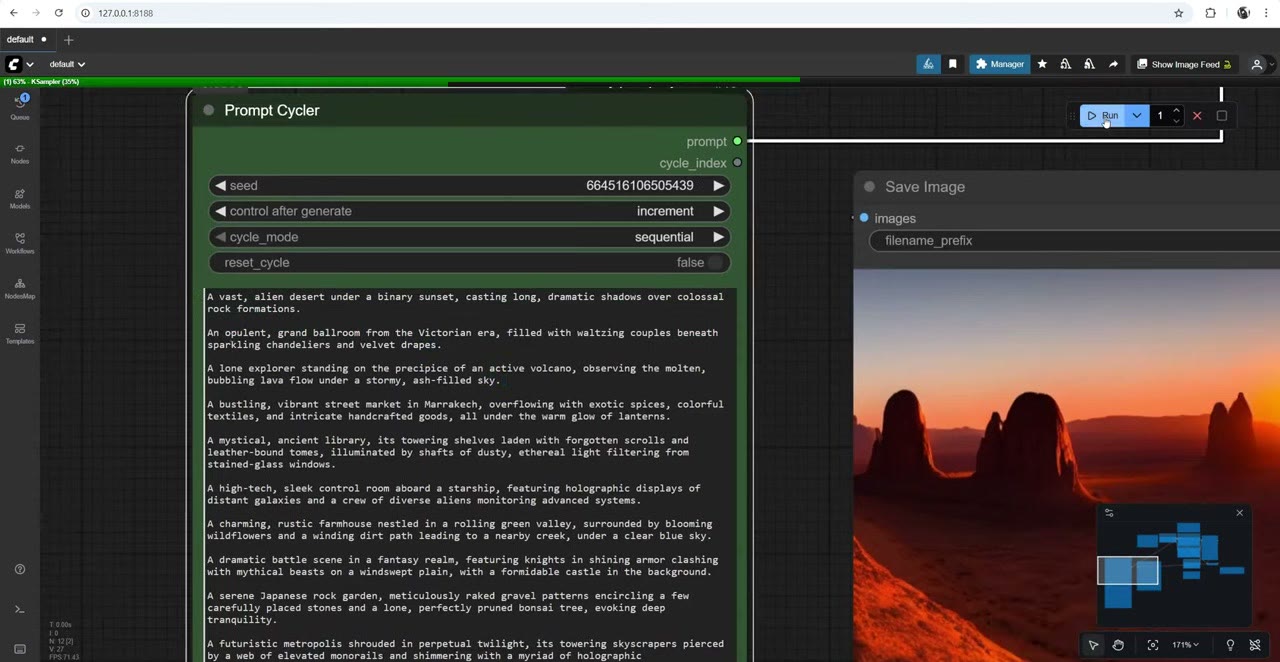
Cycling through a list of prompts used to be surprisingly awkward in ComfyUI, so I built my own node. In the Prompt Cycler, each line of text is its own prompt. Run the workflow and you get the next one. Queue a few hundred runs and you get a few hundred different images.
It works with any model, because all it does is output text. I usually run it with Flux; here I demo it with plain Stable Diffusion 1.5, which is a very basic model, so the pictures aren’t great.
In short
- Get it: tenitsky/tenitsky-prompt-cycler-simple on GitHub, free. Unzip or clone into
ComfyUI/custom_nodes, restart. - Use it: one prompt per line; its prompt output goes into CLIP Text Encode.
- Modes: sequential or random; reset_cycle starts again from the first line.
- Extras: rgthree’s Display Any shows the current prompt; a Concatenate node adds a fixed subject to every line.
Install
The node isn’t in the ComfyUI Manager yet. Install it from GitHub, either way:
- ZIP: click Code → Download ZIP, and unzip it into your
ComfyUI/custom_nodesfolder. - git:
cd ComfyUI/custom_nodes
git clone https://github.com/tenitsky/tenitsky-prompt-cycler-simple.git
If your ComfyUI is up to date, you don’t need to run pip install -r requirements.txt. Restart ComfyUI.
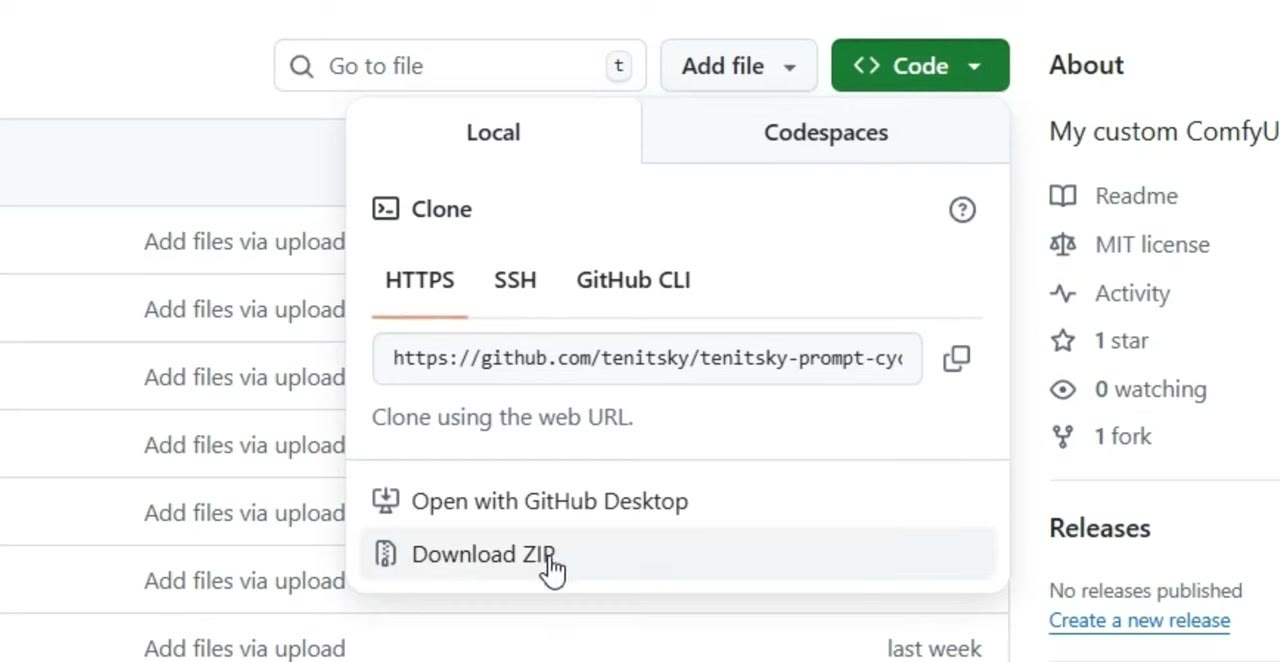
custom_nodes.New to ComfyUI? Start with ComfyUI node basics and text-to-image.
Connect it
- Double-click the canvas and search for Prompt Cycler (listed as Tenitsky Prompt Cycler Simple). It comes with example prompts preloaded.
- Connect its prompt output to the text input of a CLIP Text Encode node, and that to your KSampler’s positive input as usual.
- Run. Each run takes the next line.
Its settings:
| Setting | What it does |
|---|---|
| seed / control after generate | Leave it on increment so each run moves on |
| cycle_mode | sequential goes through the list in order; random picks a line at random |
| reset_cycle | Starts again from the first line |
| Text box | Your prompts, one per line, as many as you like |
The node also outputs cycle_index, the number of the current line.
See the current prompt
I like to add Display Any from rgthree and connect the prompt to it, so I can see which line is running.
Add the same subject to every prompt
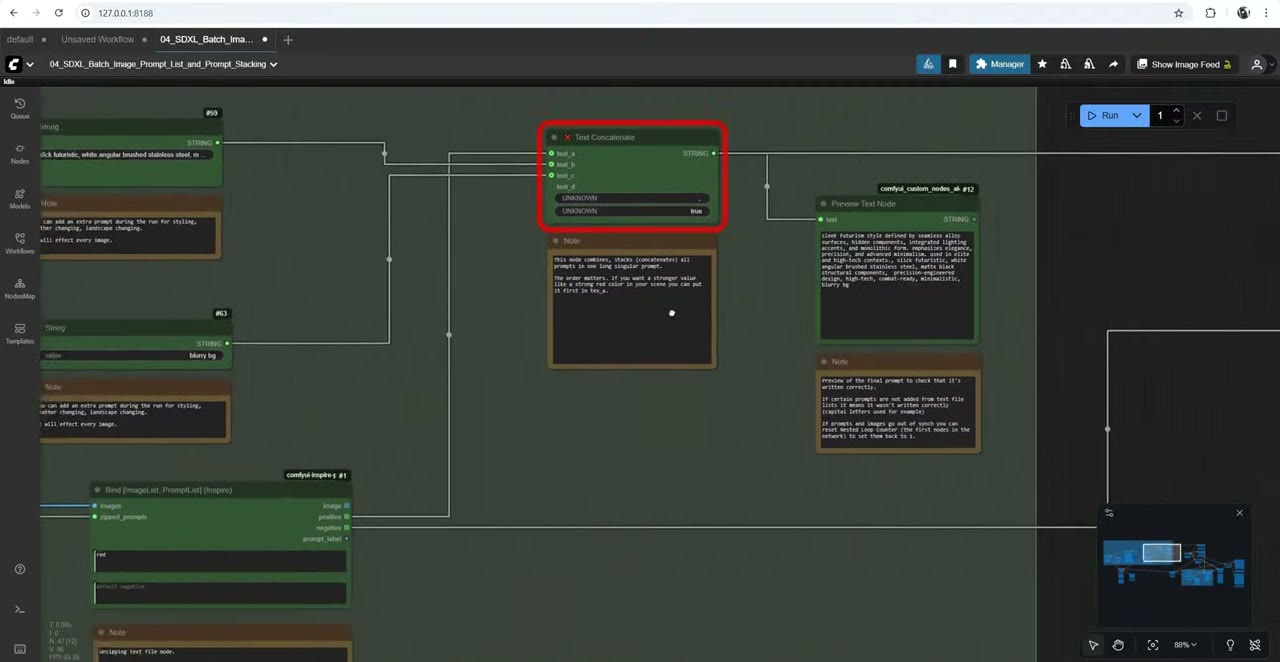
To put a particular character in every scene, add a Concatenate node:
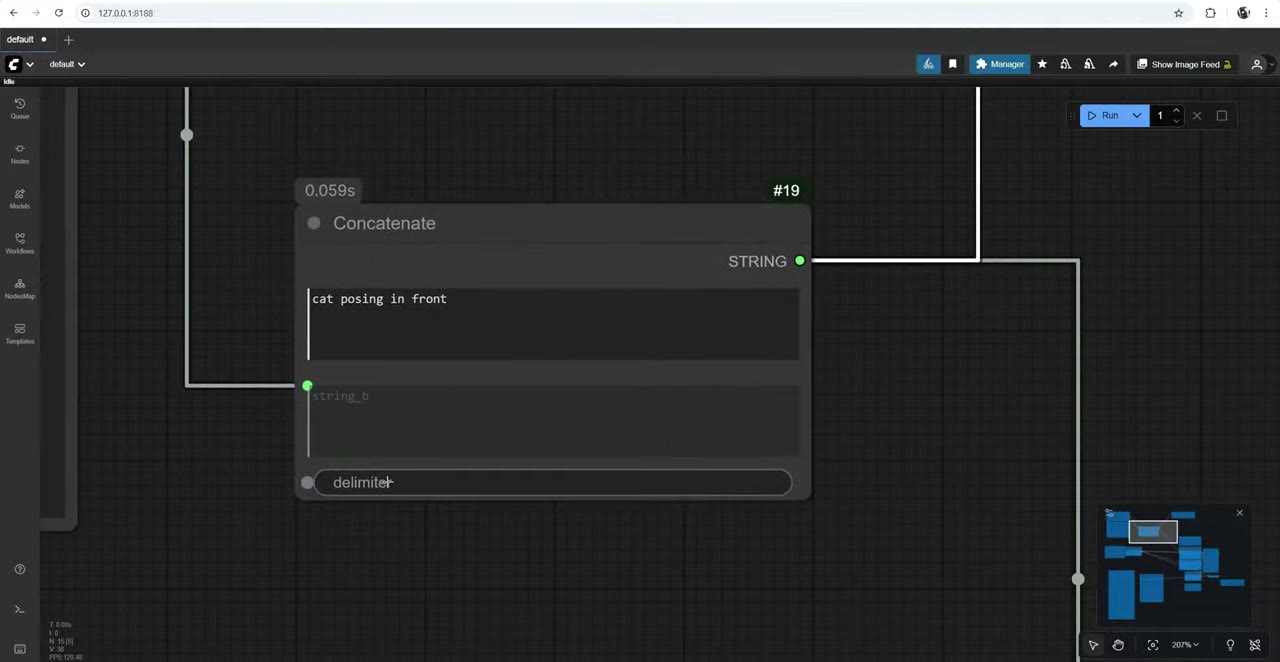
- Type the subject in it, for example cat posing in front.
- Connect the cycler’s prompt as string_b.
- Connect the STRING output to the text encoder and to Display Any.
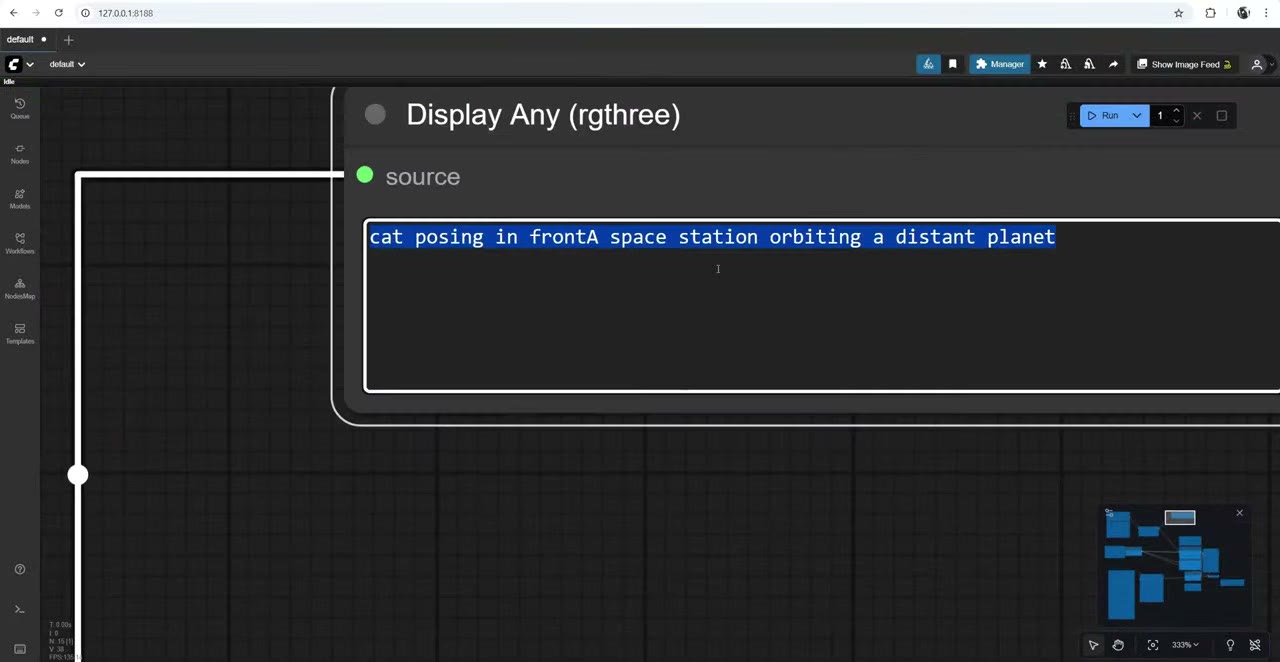
- Set the delimiter to a space. I forgot at first and got “in fronta space station”.
Now the cat appears in every image, whatever the scene.
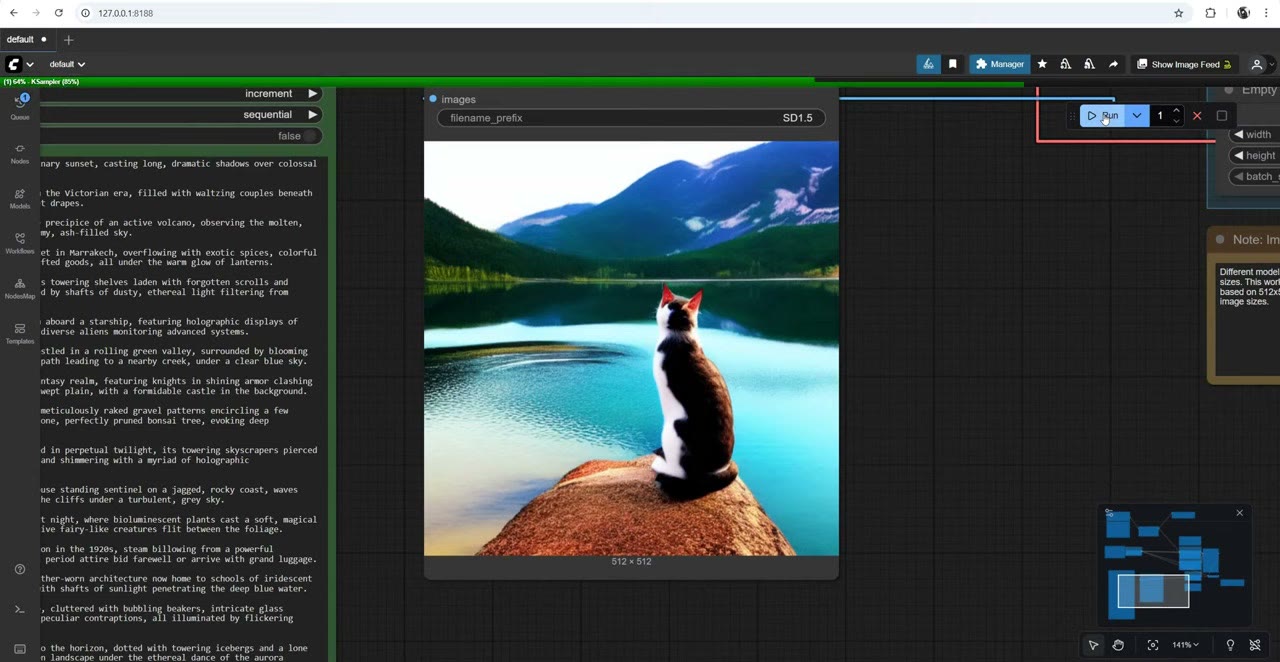
Combine concatenation with a long list and you can run thousands of prompts.
Why I built it
This has been a lifesaver for me. Before, I used a whole chain of nodes to do the same job: text files, prompt lists, a separate concatenate node with several inputs, and a preview. At the time I didn’t know how to compress and simplify it.
For a cheap way to run large prompt lists, see thousands of AI images for under $0.001 each. For the earlier, multi-node approach applied to 3D renders, see prompt lists: one 3D render in many art styles.
If you have ideas for other nodes, leave them in the comments on the video. If they’d be useful, I may build them and share them.
Watch the video version (3:17)
Everything above is in the video too, if you'd rather follow along on screen.
FAQ
How do I run a different prompt for each image in ComfyUI?
Put one prompt per line in the Prompt Cycler node and connect its prompt output to a CLIP Text Encode node. Each run uses the next line; queue as many runs as you have lines.
Can I add the same subject to every prompt in the list?
Yes. Put the subject in a Concatenate node, connect the cycler’s prompt as the other string, set a space as the delimiter, and send the result to the text encoder.
Is the Prompt Cycler in the ComfyUI Manager?
Not yet. Install it from GitHub, either by downloading the ZIP into custom_nodes or with git clone.
Does it work with Flux or SDXL?
It works with any model, because it only outputs text. I usually run it with Flux; the demo uses SD 1.5.

Anton Tenitsky is a 3D artist with 15+ years in computer graphics, working with Nickelodeon, Gameloft, Marvel Rivals and many other clients. More about me