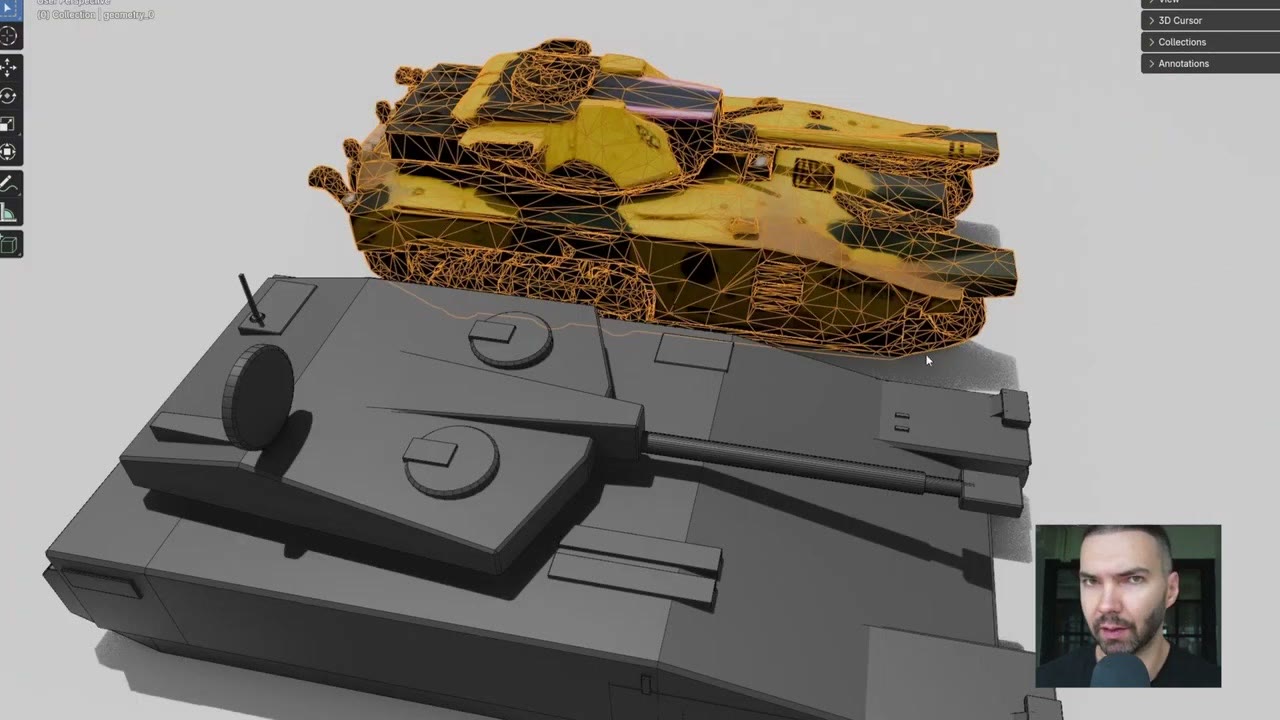
A 3D blockout is the fastest way to control an idea: proportions, silhouette and camera are all yours. This guide takes a blockout made of simple shapes all the way to a detailed, textured 3D model, using AI for the steps in between:
- Blockout to concept art, guided by the depth of a screenshot.
- Concept art to 3D shape with Hunyuan3D.
- Concept art to textured model with TRELLIS.
- Back into Blender, where it lines up with the original blockout.
In short
- Concept step: Flux in ComfyUI beat ChatGPT, and Gemini was much worse on the same screenshot.
- Shape: Hunyuan3D-2 on Hugging Face: about 20 seconds, high quality, no textures.
- Texture: TRELLIS on Hugging Face: about 30 seconds, with a 2K texture.
- Result: a symmetrical, textured GLB that matches the blockout’s proportions.
1. Start with a screenshot of the blockout
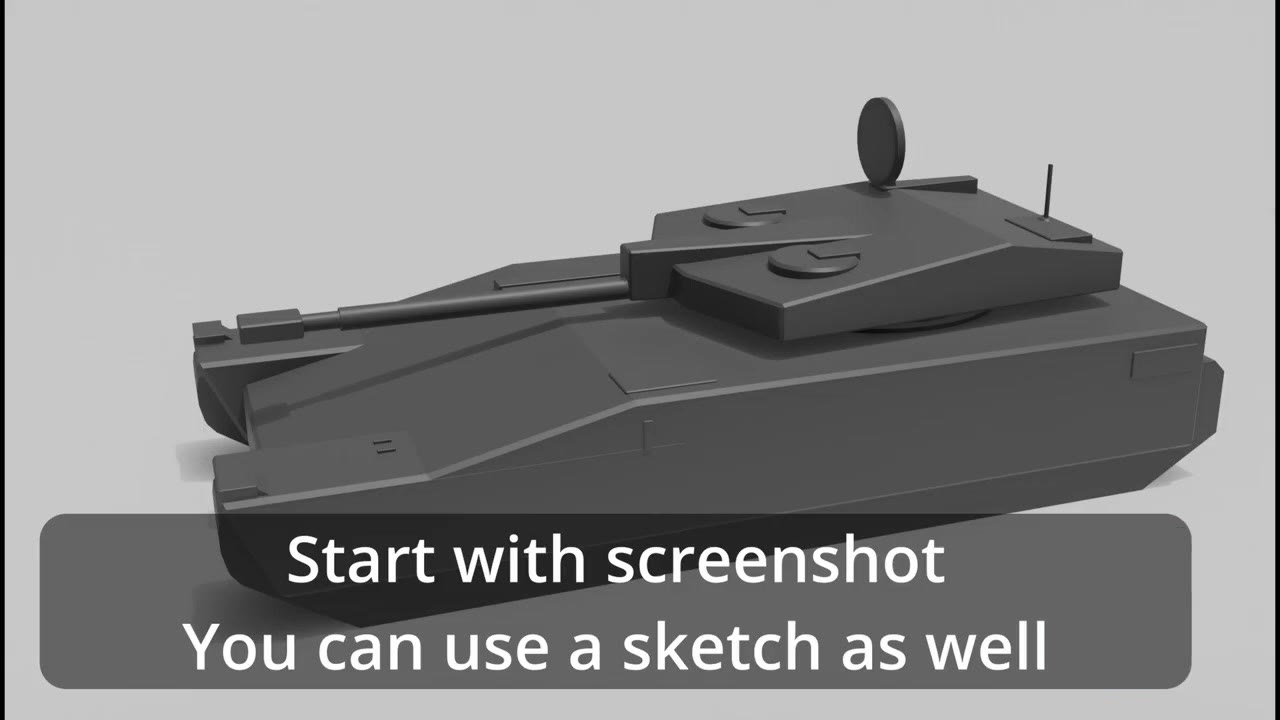
Take a screenshot of your blockout in Blender. A sketch works too. Keeping it as a 3D blockout has a real advantage: you can change any part, make it bigger or smaller, and run it again.
2. Turn it into concept art
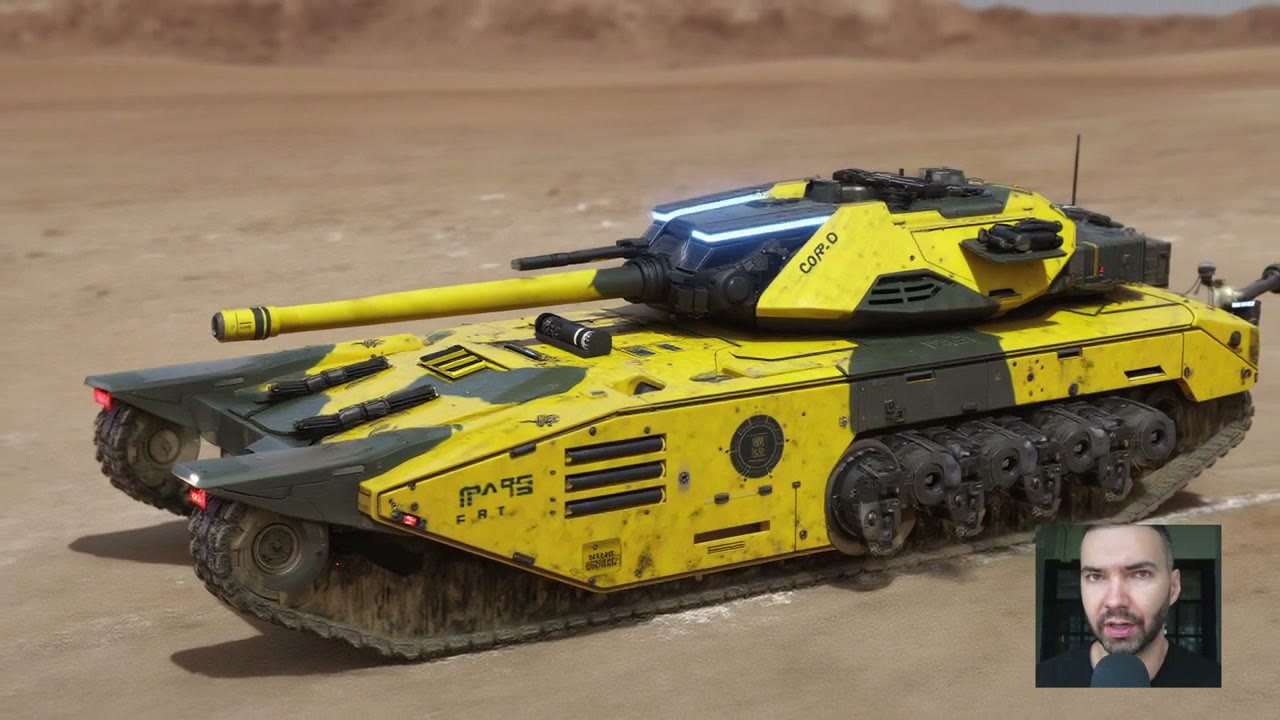
Whatever tool you use, the idea is the same: the tool reads the depth of the screenshot and creates concept art guided by your prompt. I tried three, with the same prompt (“cyberpunk tank, sci-fi tank”).
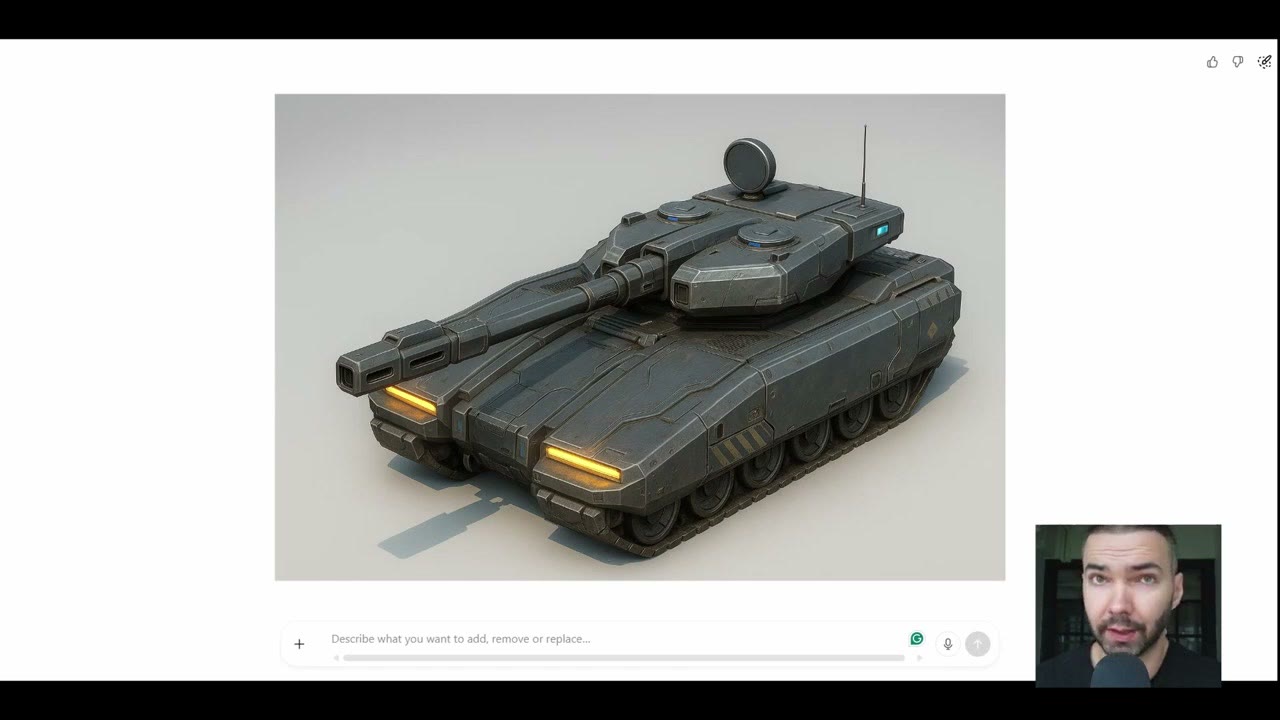
ChatGPT: just paste the screenshot and prompt. The result was pretty good, but not something I really liked.
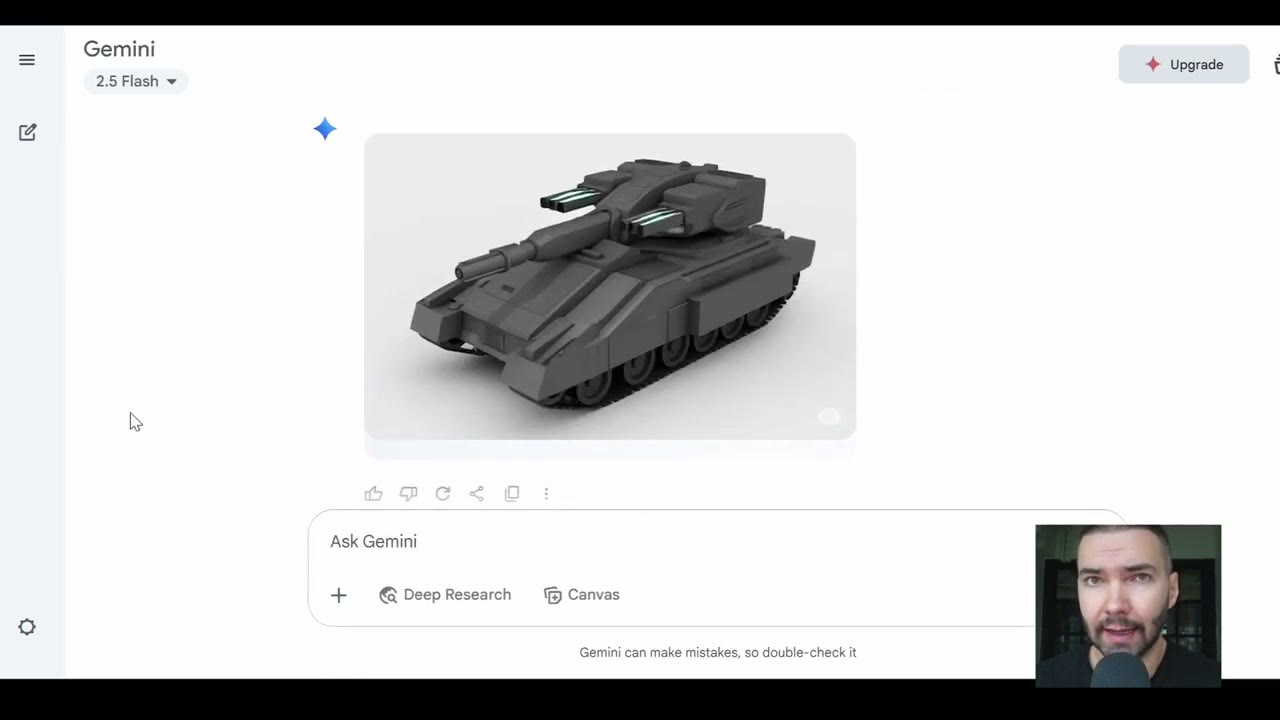
Gemini: same prompt, and the result was much worse than ChatGPT’s.
Flux in ComfyUI did a much better job with the same screenshot. The catch is the learning curve: setting up Flux with a depth ControlNet is far more involved than prompting a chatbot. My Blender + AI guides cover how. If you’d rather try the workflow without installing anything, it’s on RunComfy, already set up, with about 15 free minutes; bring your own screenshot.
3. Generate the 3D shape with Hunyuan3D
Hugging Face hosts many open-source models as Spaces, with a web interface and usually some free generations. Most can also be installed on your own computer.
In the Hunyuan3D-2 Space, drag in your concept image. It removes the background automatically, using a separate AI model. Set the target face count. I kept it around 30,000 triangles; more will take longer and may not look much better. Then click Generate Shape.
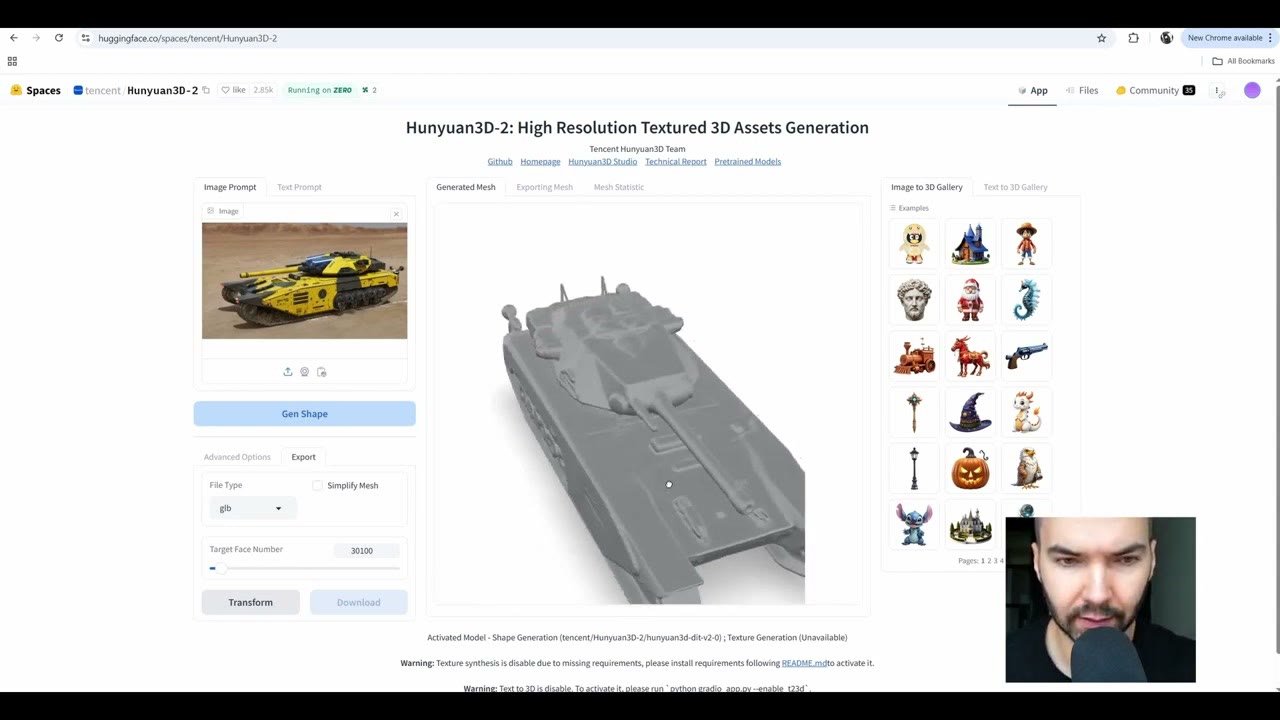
It took about 20 seconds, and the quality was high. It even interpreted the antenna well. One little figure on the tank came out as a glitch; in my final render I painted it out in Photoshop. The catch: no textures.
4. Get a textured model with TRELLIS
For textures I used TRELLIS, also on Hugging Face. Upload the same image: it removes the background and squares the image automatically. I left the generation settings alone, set the texture size to 2K in the GLB extraction settings, and clicked Generate & Extract GLB.
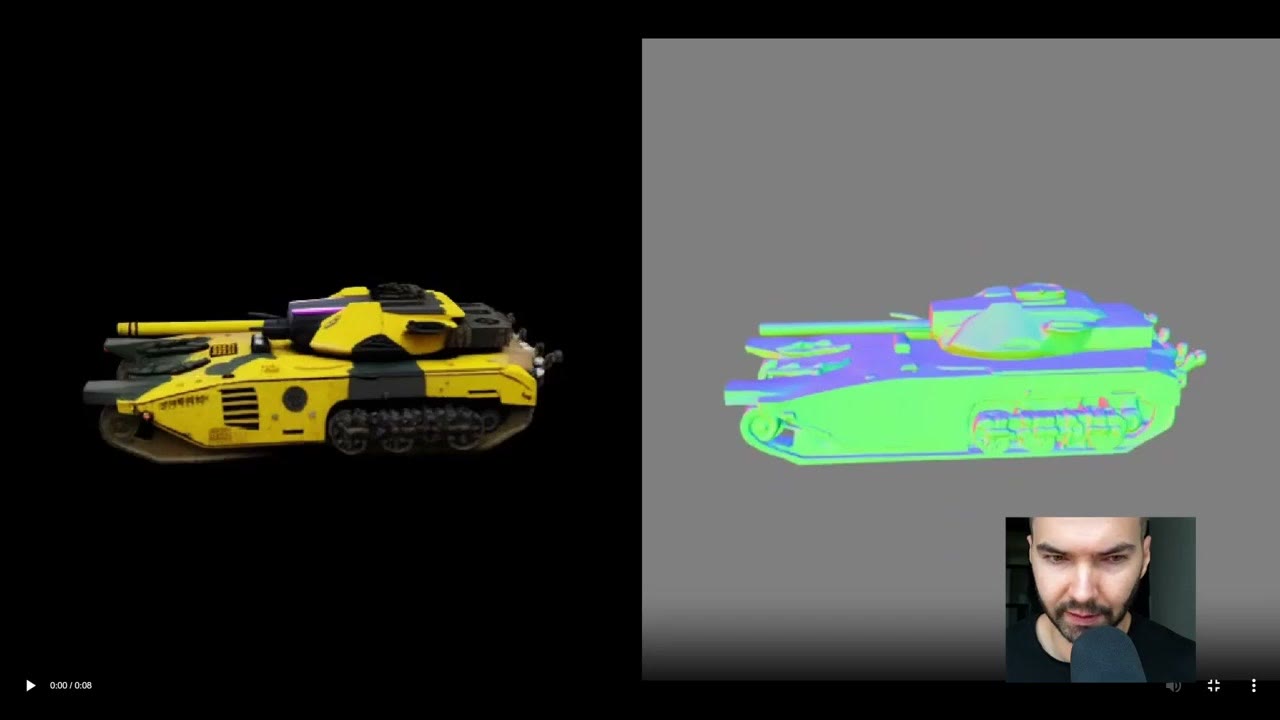
In about 30 seconds I had a nice-looking, symmetrical model with textures. TRELLIS can also take multiple images of one object (front, side, top) for a better model; the single image was good enough for me, though I’d still want to clean it up.
5. Back into Blender
Download the GLB, a format that holds both the mesh and its texture, and drag it into Blender. Mine came in tiny and needed rescaling, but the mesh was good.
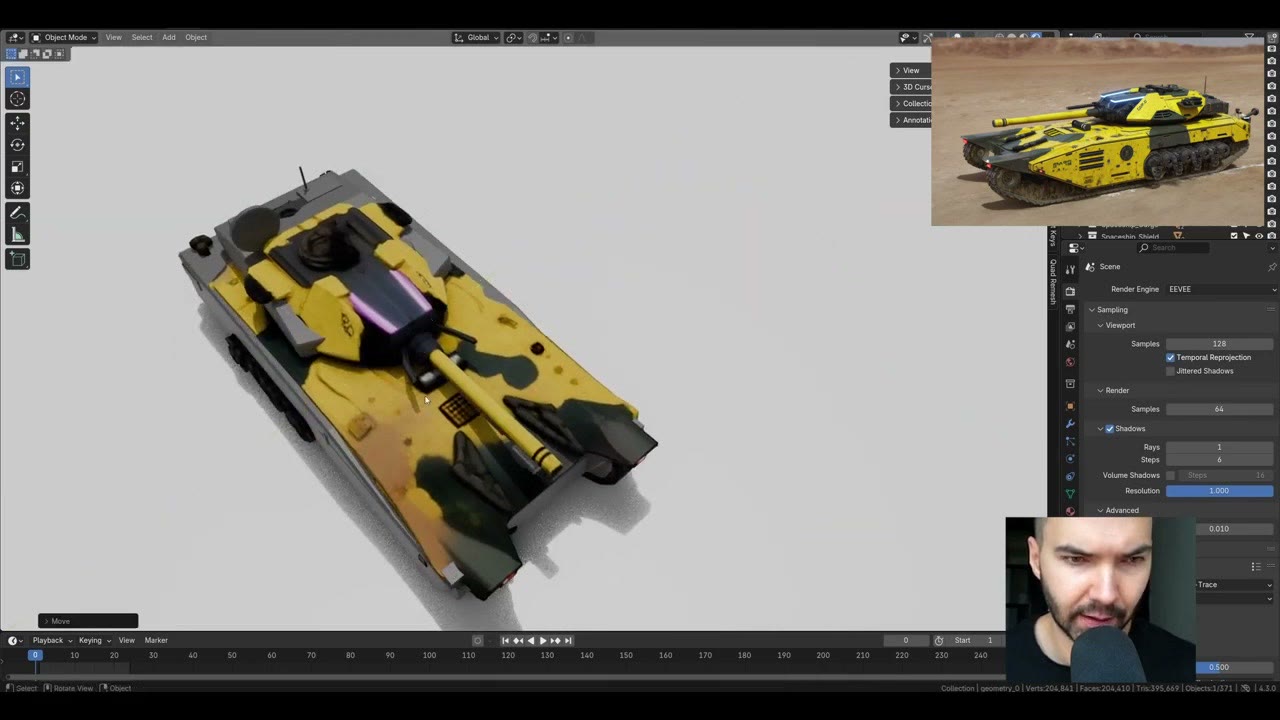
The proportions match the original blockout closely, because the concept art was generated from the blockout’s depth. That’s the point of the whole pipeline: you control the design in 3D, and AI fills in the detail.
Image-to-3D has moved fast since I made this. For generating many textured models at once, see my newer guide on TRELLIS 2 in ComfyUI.
The RunComfy link is a referral link.
Watch the video version (4:54)
Everything above is in the video too, if you'd rather follow along on screen.
FAQ
Which is better for concept art from a 3D blockout: ChatGPT, Gemini or Flux?
In my test, Flux in ComfyUI did the best job, ChatGPT was decent, and Gemini was much worse. Flux takes more learning to set up.
Why do I need two models, Hunyuan3D and TRELLIS?
At the time, Hunyuan3D gave the better shape but no textures, while TRELLIS gave a textured model. I used Hunyuan3D for shape quality and TRELLIS for the textured version.
What file format do the 3D models come in?
GLB, which holds both the mesh and its texture, and drags straight into Blender.

Anton Tenitsky is a 3D artist with 15+ years in computer graphics, working with Nickelodeon, Gameloft, Marvel Rivals and many other clients. More about me